Technical note
File-based apps with .NET 10
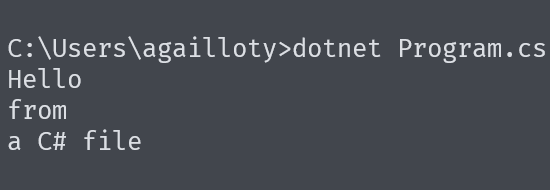
Keep the power of the language (strong typing, performance, the NuGet ecosystem) without the usual overhead.
Have you ever needed to write a small script to automate a task, parse a file, or quickly test an API? If you are a C# developer, you have probably felt that friction: create a project, a .csproj file, configure the dependencies… all that for a few lines of code.
With .NET 10 and C# 14, Microsoft has finally answered this need with file-based apps. A small revolution that changes the game for scripts and utilities.
The problem it solves
Traditionally, even the simplest C# program required:
- A solution file (
.sln) - A project file (
.csproj) - NuGet package configuration
- A folder structure
For a “Hello World”, that was already a lot. For a 20-line script, it was frankly excessive.
The result? Many C# developers turned to Python or PowerShell for their small scripts, reserving C# for “real” projects.
The solution: one file, zero configuration
Now you can write your C# code in a simple .cs file and run it directly:
dotnet MyScript.cs
That’s it. No project to create, no configuration to manage. The .NET SDK takes care of everything behind the scenes: it compiles your code into a temporary folder, caches the result, and subsequent runs are nearly instantaneous.
A concrete example: a web scraper in 20 lines
To illustrate the power of this approach, let’s take a practical case. Imagine you want to retrieve the list of articles from a blog. Here is how to do it with a single file:
#:package HtmlAgilityPack@1.12.4
using HtmlAgilityPack;

HttpClient client = new HttpClient();

string url = "https://gailloty.net/blog/";
string html = await client.GetStringAsync(url);

var doc = new HtmlDocument();
doc.LoadHtml(html);

var articles = doc.DocumentNode
                .SelectNodes("//h2[@class='card__title']/text()");

if (articles != null) {
    articles.Select(x => x.InnerText)
    .ToList().ForEach(Console.WriteLine);
}
Save this code in a Scraper.cs file and run it:
dotnet Scraper.cs
In a few seconds, you get the list of article titles. Simple, right?
The magic directives: #:
Did you notice the first line? It is a directive specific to file-based apps:
#:package HtmlAgilityPack@1.12.4
This syntax lets you add NuGet packages directly in your file. No more dotnet add package or editing a .csproj. You declare your dependencies, and the SDK takes care of the rest.
Here are the main available directives:
| Directive | Description |
|---|---|
#:package Name@version | Adds a NuGet package |
#:sdk Name@version | Targets a specific SDK (e.g. Aspire) |
#!/usr/bin/env dotnet | Shebang for direct execution on Unix |
What stays the same
Rest assured, you are still writing C#. Everything you know works:
- Top-level statements: no need for a
Programclass or aMainmethod - Async/await: our example uses
awaitwith zero ceremony - LINQ:
.Select()and.ToList()work as usual - Types: you can declare classes, records, interfaces at the end of the file
- The whole BCL:
HttpClient,File,Console… it’s all there
When to use file-based apps
This approach is ideal for:
- Automation scripts: parsing files, transforming data
- Quick prototyping: testing an idea, an API, an algorithm
- CLI utilities: small command-line tools
- Learning: teaching C# without drowning beginners in configuration
- One-offs: data migrations, one-time fixes
Current limitations
Let’s be honest, this feature has a few restrictions:
A single file: you cannot (yet) split your code across multiple files. This limitation should disappear with .NET 11.
Partial IDE support: IntelliSense works, but not as well as in a full project.
Not for production: for a real application, always prefer a structured project.
Migrating to a full project
Your script has grown and deserves a real structure? Migration is trivial:
dotnet project convert MyScript.cs
This command generates a complete project with all your dependencies preserved. Your code moves to Program.cs, and you get a ready-to-use .csproj.
Conclusion
File-based apps represent a philosophical change for C#. Microsoft finally acknowledges that not every program needs to be an enterprise application. Sometimes, you just want to parse a JSON file or scrape a web page.
With this new approach, C# becomes a viable choice for everyday scripting. You keep the power of the language (strong typing, performance, the NuGet ecosystem) without the usual overhead.
The next time you need a small utility, give it a try. Create a .cs file, write your code, and run dotnet MyFile.cs. You might be surprised by how smooth the experience is.